Made with
ConceptDraw
DIAGRAM 18

GUI Prototyping with ConceptDraw DIAGRAM

Developing some software, project managers, software engineers and GUI developers often have to create a software model. Very often, they need to develop its graphic design to demonstrate the layout of the developed software to clients or coordinate the process of development with your QA department, and discuss its usability and convenience. Thus, the final look of the diagram in work can be defined even at the development phase. Moreover, you can also define to what extent it will be convenient to the final user.

But how to create such program elements as dialogs, menus, buttons at the development phase, when there is no runnable application?

You can use some development system with the resource-editor or start creating an application prototype, or just create a text project with a set of necessary dialogs. In case you require a data type to get a clearer idea of interface, you will have to advance far enough in creation of an application prototype in order to get a sound look of interface. All this takes plenty of time . Another crucial point here is that such an approach does not allow attracting unskilled designers and managers to interface development.

A quite unlike situation occurs if try drawing interface in some graphic package.

Whichever you choose a package of vector or raster graphics, development of interface becomes a designer's task, let alone acceptable speed. Moreover , interface elements will be static a priori . And it will take you a lot of extra time to draw the same dialog, with an opened combo box, for instance. Although, of course, you can draw a program in any state and with any data.

Diagramming tool ConceptDraw from CS Odessa Corporation offers the third approach. This program is for 2-D vector drawing, but for more acceleration of prototyping of graphic interface, it offers a set of libraries with ready-to-use GUI elements.

GUI (pronounced goo-ey) stands for graphical user interface. GUIs consist of widgets that allow a user to interact with a computer operating system or software application. Widgets include icons, menus, buttons, selection boxes, scroll bars, and other design elements. A dialog box is a typical GUI element

ConceptDraw is perfect for project managers and software engineers who need to quickly draw dialog boxes and application interfaces without complicated programming.

Peculiarities in creation of GUI objects in ConceptDraw are:

  • Quick and easy creation of interface elements
  • Support of various platform and operation systems
  • Automated elements, such as drop-list, allow to demonstrate interface in various views without spending extra time on drawing of a new dialog or document window from scratch

.

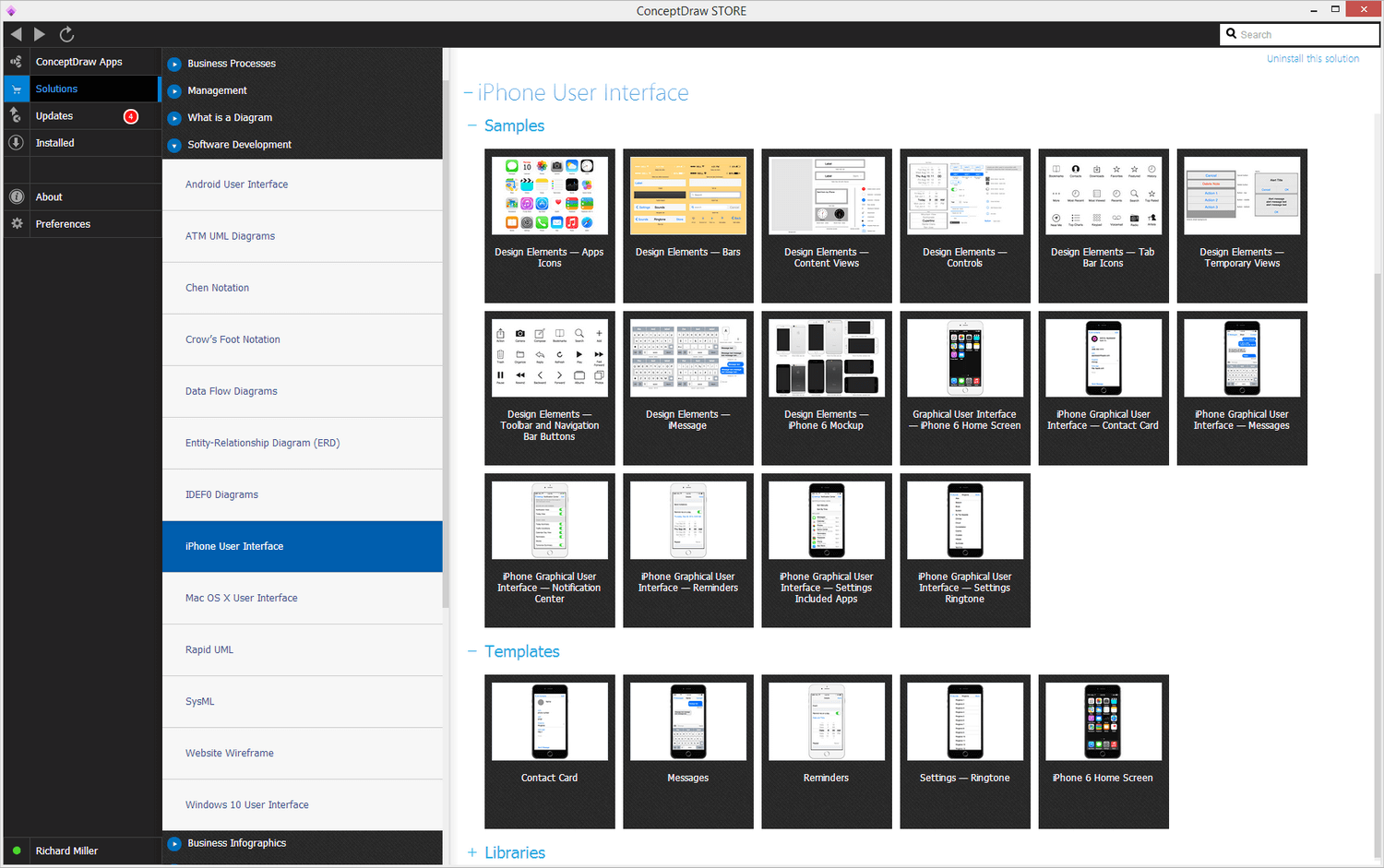
To create some interface object in ConceptDraw, you need to open ConceptDraw STORE and, considering the needed OS, choose the necessary template in which element libraries will appear.

Graphic User Interface Solution in ConceptDraw STORE

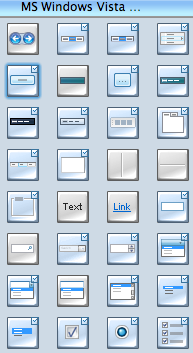
For instance, Windows User Interface (together with it MS Office elements will appear) or Mac OS X User Interface. Then in the Libraries panel the libraries with GUI elements, which can be added to your document, will appear.

GUI elements

Using Drag&Drop or double-clicking on the needed element you will add it to your document and will be further able to edit it.

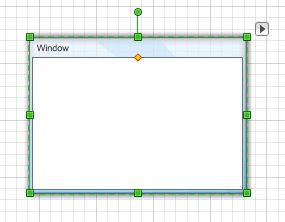
First, add an empty dialog to the document.

Empty dialog

Similarly, you can add any necessary components for creation of interface. After you have added them, the only thing left is to properly arrange them and edit corresponding to your needs.

For instance, if you add the button for closing the dialog, take it by the green square on the right Button for closing the dialog and then move it to the right upper corner of the dialog marked with a cross (the handle becomes red in right place), it will be connected to the dialog window and will further move together with it. Similarly, you can add other buttons and as well as any other objects.
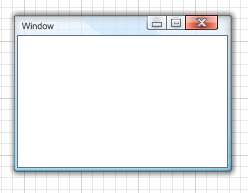
Dialog window

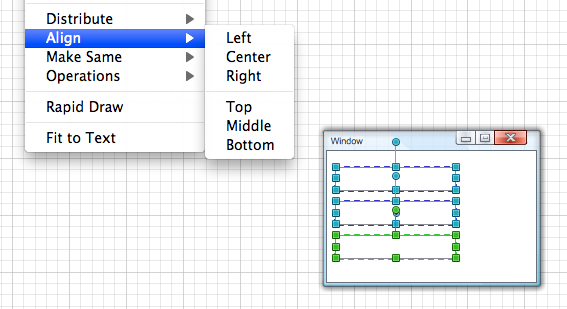
You can also arrange objects by selecting them with pressing Shift, and having chosen on of the variants of arrangement on the toolbar Align.

Toolbar Arrange&Make

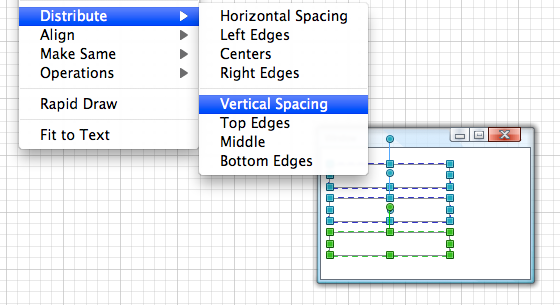
Or you can distribute objects by using buttons on the same toolbar.

Toolbar


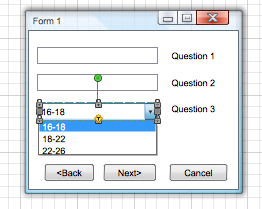
If in your dialog there is an object of drop-list type, you can, for instance, hide or show it using the context menu. Similarly, you can make a button active or disabled, or get many other views using the objects smart behaviour. Useful tip.
In order to spread or contract objects with no reference to the grid, use the button Button on Snap&Glue toolbar.

Snap&Glue toolbar Snap&Glue toolbar

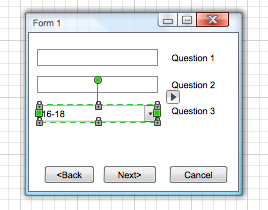
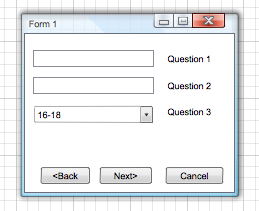
Thus, without too much effort, you will get a dialog of the similar type in a couple of minutes. And you do not have to use programming for this.

Finished dialog

Besides, ConceptDraw is the only cross-platform program that allows to create interface for you upcoming software not only for Windows, but also for Mac OS (X). That is why it is the best choice for companies and developers who work on markets of Win and Mac applications.

GUI Prototyping with ConceptDraw DIAGRAM

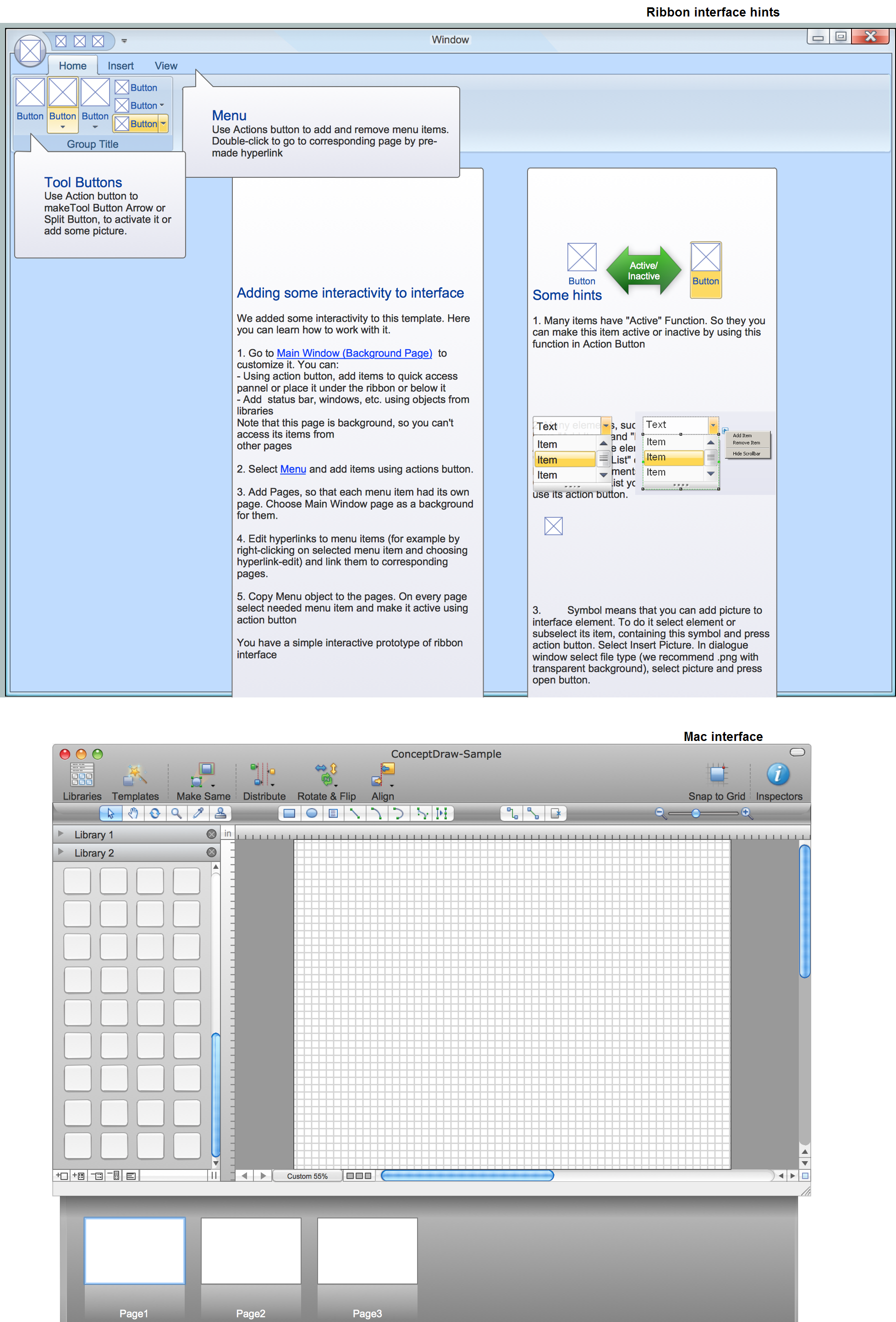
Example 1. GUI Interface — Mac and Ribbon

ConceptDraw DIAGRAM is a Perfect Tool for:


TEN RELATED HOW TO's:
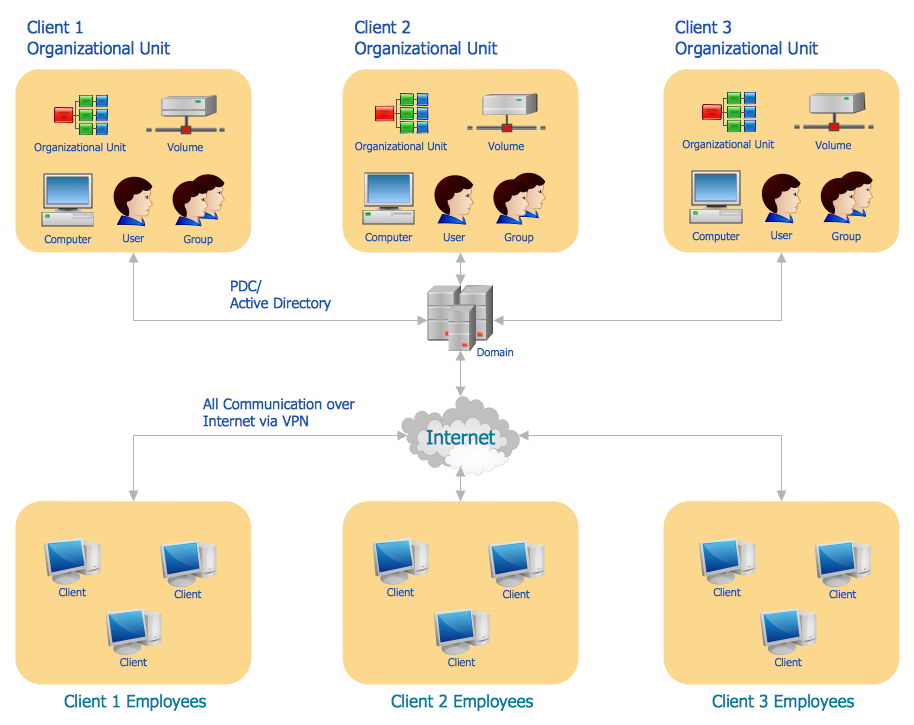
The Architecture Diagrams are the type of diagrams which help to system designers, system developers, and application developers to visualize the overall high-level structure of the system or application and depict the interactions between software systems, users, external systems, data sources, and services. The ConceptDraw DIAGRAM Architecture Diagrams Software provides the unique Cloud Computing Diagrams solution from the Computers and Network area of ConceptDraw Solution Park with wide set of powerful tools for fast and easy creating various types of Architecture diagrams.Architecture Diagrams *
Picture: Architecture Diagrams
Related Solution:
Use ConceptDraw DIAGRAM software as a powerful audit application. 🔸 Create professional Audit Workflow Diagrams and Audit Process Flowcharts to ✔️ plan and implement audit process, ✔️ enhance financial transparency, ✔️ improve financial reporting, ✔️ streamline operations, ✔️ improve business efficiency, ✔️ identify risks and issues, ✔️ prevent financial fraud, ✔️ track progress, ✔️ enhance trustAudit Process Flowchart. <br> Audit Flowchart Design in ConceptDraw DIAGRAM
Picture: Understanding the Audit Process: A Comprehensive Guide. Audit Process Flowchart
Related Solution:
While creating flowcharts and process flow diagrams, you should use special objects to define different statements, so anyone aware of flowcharts can get your scheme right. There is a short and an extended list of basic flowchart symbols and their meaning. Basic flowchart symbols include terminator objects, rectangles for describing steps of a process, diamonds representing appearing conditions and questions and parallelograms to show incoming data. This diagram gives a general review of the standard symbols that are used when creating flowcharts and process flow diagrams. The practice of using a set of standard flowchart symbols was admitted in order to make flowcharts and other process flow diagrams created by any person properly understandable by other people. The flowchart symbols depict different kinds of actions and phases in a process. The sequence of the actions, and the relationships between them are shown by special lines and arrows. There are a large number of flowchart symbols. Which of them can be used in the particular diagram depends on its type. For instance, some symbols used in data flow diagrams usually are not used in the process flowcharts. Business process system use exactly these flowchart symbols.Flowchart example showing a customer request approval process with start, input output, process steps, decision branches, and end
Picture: Flowchart Symbols: Meaning and Examples
Related Solution:
ConceptDraw DIAGRAM extended with the Rapid UML solution is perfect for drawing professional UML diagrams.How to create a UML Diagram *
Picture: How to create a UML Diagram
Related Solution:
The first thing that usually comes to mind when talking about database models is ER-diagrams, and the ways to create them. The second most recognizable notation is the Crow’s Foot, which visually differs from Chen’s notation. Actually, it doesn’t matter which notation you’ll use for your entity relationship diagram (ERD), but the content is what matters. When designing an Entity-Relationship Diagram one need to use a certain notated symbols that were developed and standardized especially for databases description. First of them - the Chen’s notation had a linguistic origin. It includes rectangle boxes to show entities that may be described as nouns, and the relationships between them described as verbs depicted in a form of diamond. Finally the Chen’s notation was simplified up to the Crow’s Foot notation. It represents a relationship as labeled line. It is precisely this notation is shown in the given figure. ConceptDraw DIAGRAM together with its Entity-Relationship Diagram (ERD) solution is designed to support professionals who deals with creating ER diagrams using the element of both - Chen’s and Crow's Foot notations.Design Element: Crows Foot   <br>for Entity Relationship Diagram - ERD *
Picture: Design Element: Crows Foot for Entity Relationship Diagram - ERD
Related Solution:
Create your own Linux audit flowcharts using the ConceptDraw DIAGRAM diagramming and vector drawing software extended with the Audit Flowcharts solution from the Finance and Accounting area of ConceptDraw Solution Park. This flowchart example describing auditd, the linux audit tool.Linux Audit Flowchart Example. Flowchart Examples
Picture: Linux Audit Flowchart Example. Flowchart Examples
Related Solution:
Creating of Entity-Relationship Diagrams (ERDs) is a complex process that requires convenient, automated tools. ConceptDraw DIAGRAM diagramming and vector drawing software offers a powerful ER Diagram Tool - the Entity-Relationship Diagram (ERD) Solution from the Software Development Area.ER Diagram Tool *
Picture: ER Diagram Tool
Related Solution:
It doesn’t matter what kind of business you have, a bar or a gym, there are common concepts for any of them. One of those concepts is accounting, and to facilitate the work with the figures, you can use accounting flowchart symbols and create a clear and representative scheme. You can create flowchart for auditing, tax accounting and even for planning your own budget. A graphical tool for displaying successive processes is flowchart. This method is mostly suited to represent an accounting process. The sequence of steps in the accounting process usually consists of standard accounting procedures, that can be depicted by using a minimal number of symbols, applied for the basic flowcharting. The advanced opportunity to create professional Accounting Flow charts is provided by ConceptDraw Accounting Flowcharts solution. It includes contains a library of accounting flowchart symbols used when drawing the accounting process flow.Accounting Flowchart Symbols
Picture: Accounting Flowchart Symbols
Related Solution:
Quality Control Chart Software (ISO Flowcharting) - ConceptDraw DIAGRAM extended with Total Quality Management TQM Diagrams Solution from the Quality Management Area is the best diagramming and vector drawing software that allows you to draw the quality control charts quick and easy. The quality control chart is a graphic that illustrates the accordance of processes or products to the intended specifications and degree of differences from them. Depending on what type of data you need analyze, there are used different types of quality control charts: X-bar charts, S charts, Np charts.Quality Control Chart Software — ISO Flowcharting *
Picture: Quality Control Chart Software — ISO Flowcharting
Related Solution:
Use ConceptDraw DIAGRAM software as powerful electrical engineering software and apply switches and relays electrical symbols in ✔️ electrical circuit diagrams, ✔️ electrical drawings, ✔️ electrical schematics, ✔️ wiring diagrams, ✔️ electrical blueprintsElectrical Symbols — Switches and Relays in ConceptDraw DIAGRAM
Picture: Electrical Symbols — Switches and Relays
Related Solution:
ConceptDraw
DIAGRAM 18